How MowReview makes money: As an Amazon Associate, MowReview earns from qualifying purchases, at no extra cost to you. We don’t test mowers ourselves; we explain what manufacturers and independent testers report. How we research
Quick answer
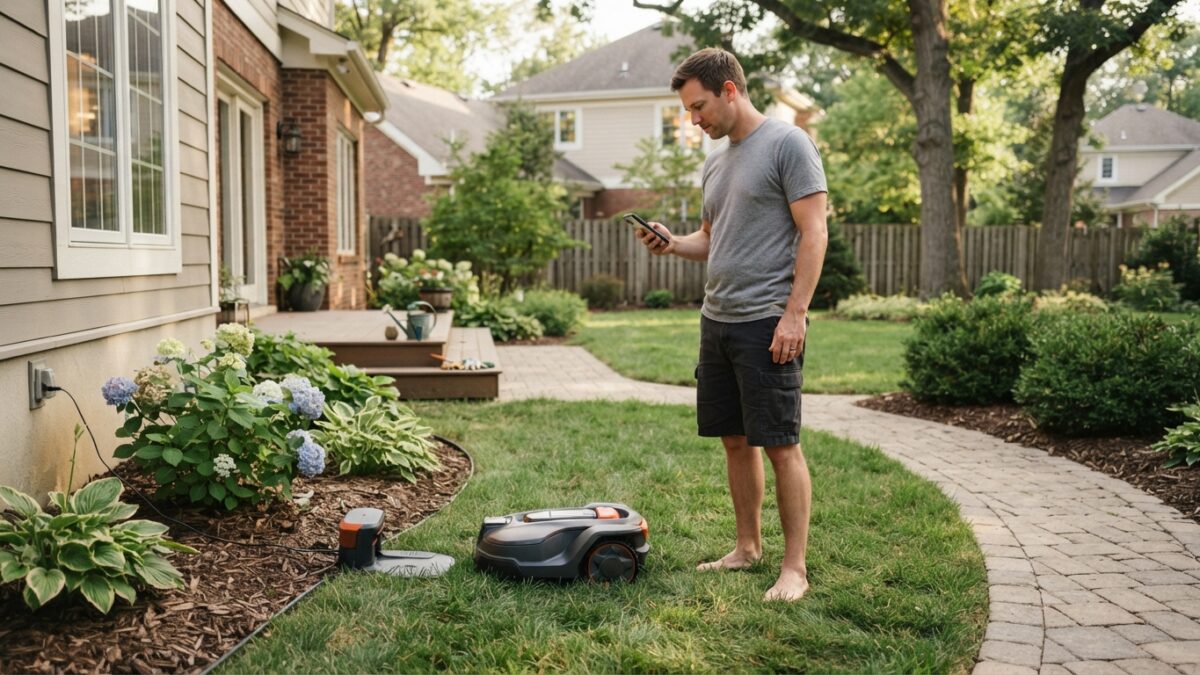
Allow an afternoon. Site the charging station on level ground with power and good sky view, put the antenna somewhere with the clearest view of the sky, charge the mower fully, then walk the lawn edge with the app to draw the boundary. Add no-go zones, set a daytime-only schedule, and watch the first mow rather than leaving it to run.
Setup is the one genuinely fiddly part of owning a robot mower, and it happens once. This guide covers the order to do it in and the mistakes that cause most first-week problems. Your manual takes priority over anything here, since the details differ by model.
Before you start
- Check the box weight. Some flagship mowers are a two-person lift, and Reviewed found one took several hours to assemble. Have a helper for the heavy ones.
- Mow the lawn first with your normal mower, ideally a few days before. Robot mowers cut a little and often, and they cope badly with long grass on day one.
- Pick a calm, dry afternoon. Mapping means walking the whole lawn edge with a phone.
- Charge your phone. The app does everything.
Step 1: Site the charging station
This decision is hard to undo, because moving the dock later usually means remapping. Look for:
- Level ground, with a clear straight run in front so the mower can dock squarely.
- An outdoor power socket within reach of the supplied cable.
- Open sky above, not tucked under a deep eave or a low branch.
- Out of the way of foot traffic, car doors and the sprinkler pattern.
- In your largest lawn area, if you have several.
Step 2: Position the antenna, if your mower has one
Many wire-free mowers come with a reference antenna that corrects the satellite signal. Its placement matters more than almost anything else. Ecovacs explains that leaves, branches and trunks reduce how much open sky a mower can use, and that metal and glass nearby cause problems through reflected signals.
So put the antenna in the most open spot available, high, clear of rooflines and away from large metal surfaces. Some mowers use network RTK instead and have no antenna at all, and Mammotion’s LUBA 3 is one that no longer needs a separate station.
Photograph its exact position once it’s set. If you ever take it indoors for winter, it must go back in precisely the same spot or your map won’t line up.
Step 3: Charge fully, then map
Let the mower charge completely before mapping. Then, in the app, you’ll typically drive or walk the mower slowly around the edge of the lawn to draw the boundary. Some mowers offer assisted mapping: Segway’s app can identify clear lawn edges and map the area itself.
While you’re walking the boundary:
- Stay a few inches inside the true edge of the grass, away from hard edges and drops.
- Go slowly around corners. Rushed corners are the most common cause of a messy map.
- Map the passages between areas as separate channels, if you have more than one lawn.
If the app loses connection partway through, don’t assume you’ve done something wrong. PCWorld hit repeated Bluetooth dropouts mapping one mower and had to restart, and found another’s setup wasn’t always smooth.
Step 4: Add no-go zones
Once the boundary is drawn, mark everything the mower should avoid: flower beds, ponds, tree bases with exposed roots, play equipment, a vegetable patch, the dog’s favorite digging spot.
Be generous. It’s much easier to shrink a no-go zone later than to explain a flattened flower bed. Leave extra room around anything fragile and anything the mower could snag on.
Step 5: Set a daytime schedule
Set mowing for daylight hours only. Wildlife researchers at Oxford recommend daytime-only mowing, because many small animals are active after dark, and daytime running also means you’ll notice if something goes wrong.
Beyond that, choose times when the yard is empty. If grandchildren visit at weekends or the dog is out in the afternoons, mow at other times. Our safety guide covers this properly.
Start with a lighter schedule than you think you need. It’s easier to add mowing time than to repair a lawn that’s been cut too hard.
Step 6: Watch the first mow
Don’t leave the house. Walk out every ten minutes or so and note:
- anywhere it stalls, slips or gets stuck;
- any spot where it wanders outside the boundary or mows crooked lines, which usually means weak signal;
- whether it docks cleanly on its own;
- whether it’s cutting too low anywhere.
Each of those has a fix, and it’s much easier to sort out in week one.
First-week fixes
Getting stuck in the same place: fill the hollow, cover the root, or add a small no-go zone. Wavy lines or signal warnings: move the antenna higher and more open. Missing a strip along a wall: normal on many mowers, since few cut right to the edge. Struggling in a narrow passage: widen it or firm up the surface.
Step 7: Set the security features
Before you start leaving it unattended, turn on the PIN or child lock, register the mower with the manufacturer so you’re contacted about any recall, and set up any anti-theft tracking or alarm the model offers.
Before you touch the blades
If you need to clear a jam or check underneath at any point, stop the mower with its stop button and follow the manual’s instructions for disabling it first. Wear gloves. The blades stay sharp when the mower is off.
If you’d rather not do this yourself
Setup happens once, so it’s a reasonable thing to hand over. A family member can do the mapping in an afternoon, or you can buy through a dealer who installs it for you. Husqvarna’s dealer network is built around exactly this.
Questions
How long does robot mower setup take?
Allow an afternoon for a straightforward lawn: assembly, charging, siting the dock and antenna, and walking the boundary. Larger or multi-zone properties take longer, and some flagship mowers need significant assembly first.
Can a family member set it up remotely?
The mapping has to be done in the yard, since it involves walking the lawn edge with the app. Once that’s complete, schedules and adjustments can often be handled from anywhere through the app, so someone can help you remotely from then on.
Should I mow the lawn before the first robot mow?
Yes. Robot mowers are designed to cut a little off frequently, not to bring long grass down. Cut the lawn to a normal height with your usual mower a few days before, then let the robot take over.
Sources
- Ecovacs: LiDAR vs. RTK robot lawn mowers (antenna placement, obstructions, reflected signals)
- PCWorld: Ecovacs GOAT A3000 review (mapping dropouts)
- PCWorld: Mammotion LUBA 3 AWD review (setup)
- Amazon listing: Segway Navimow i110N (assisted mapping)
- Reviewed: Best robot lawn mowers (assembly time and weight)
- University of Oxford: Hedgehog safety test for robotic lawnmowers (daytime mowing)
- Husqvarna: Automower support (reference station repositioning)
Set up and running? Keep it that way
A little upkeep through the season prevents most of the problems owners run into.