How MowReview makes money: As an Amazon Associate, MowReview earns from qualifying purchases, at no extra cost to you. We don’t test mowers ourselves; we explain what manufacturers and independent testers report. How we research
Quick answer
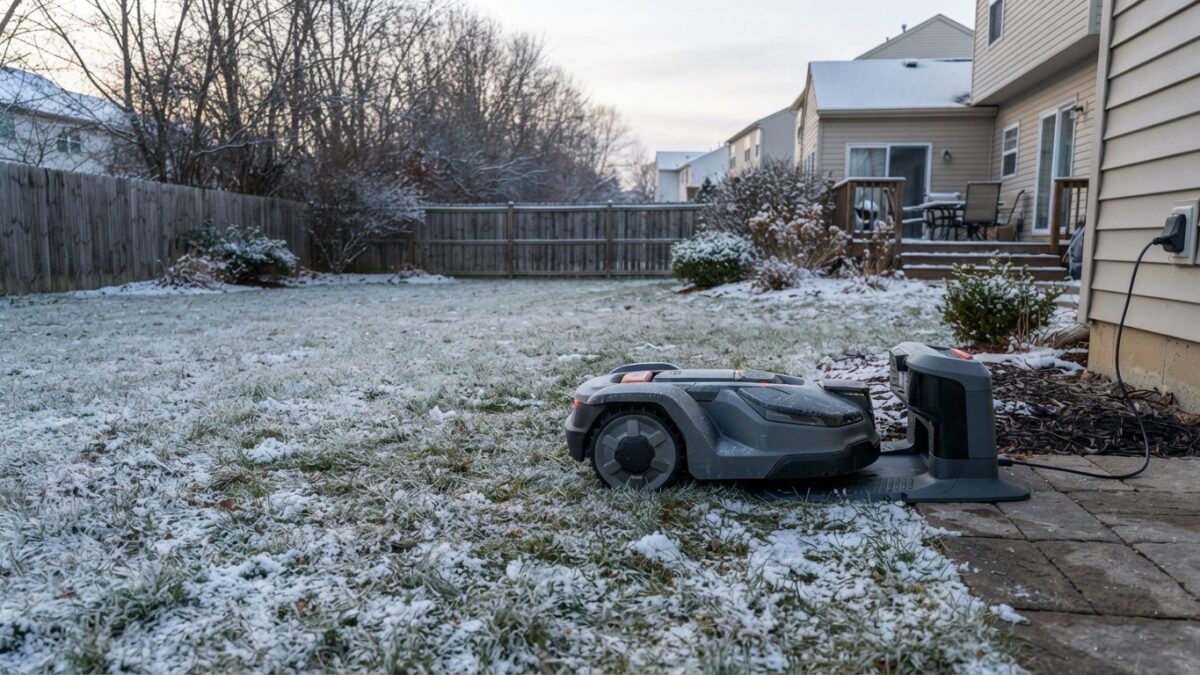
In cold weather, the usual causes are a frost setting parking the mower on purpose, damp or dirty charging contacts, a battery that drains faster in the cold, wet leaves blocking the path to the dock, or weaker positioning under bare-but-wet conditions. Work through those before assuming a fault. Most fixes are free, and if it’s the frost setting, nothing is wrong at all.
Docking problems get more common as the weather turns, and it’s rarely a broken mower. Fall and winter throw several new obstacles at a robot mower’s return trip, and each has a straightforward cause. Here they are, roughly in order of how often they’re the culprit.
No purchase is needed to fix any of this.
First: is it actually a problem?
If the mower is sitting on its dock when it’s scheduled to run, but it’s cold out, it may be doing exactly what it should. Husqvarna notes that a mower parked on a chilly morning is often the Frost Guard setting working, holding the mower off frosted grass until it warms up. Check the app for an active frost or weather setting before troubleshooting anything else.
Likewise, if the mower has correctly decided the season is over because growth has stopped, that’s not a fault either. It’s a sign it’s time to store it for winter.
The cold-weather causes, and their fixes
1. Damp or dirty charging contacts
The most common real cause in wet weather. Segway warns that damp clippings promote corrosion of charging contacts, and fall adds wet leaves and mud to the mix. Corroded or dirty contacts mean the mower reaches the dock but doesn’t charge.
Fix: wipe the metal contacts on both the mower and the dock with a dry cloth, and keep the dock area clear of leaves and debris.
2. Wet leaves blocking the path
A drift of wet leaves across the route to the dock can stop or misdirect the mower, and leaves piling up at the station itself can prevent a clean docking approach.
Fix: clear leaves from the docking approach and the main routes back to it. Our guide to robot mowers and fall leaves covers keeping on top of this.
3. Faster battery drain in the cold
Lithium batteries deliver less in the cold. Segway notes that operating in freezing conditions can significantly reduce battery performance, so a mower that comfortably reached the dock in summer may run low before it gets there on a cold day.
Fix: if the app reports the battery running out before docking, it’s a sign the season is ending. Reduce the mowing area or, better, recognize that it’s time to store the mower for winter.
4. Weaker positioning
Fall and winter can affect navigation. Ice and frost interfere with sensors and cameras, as Segway notes, and a mower that loses its position may struggle to find its way back.
Fix: in genuinely cold or frosty conditions, the answer isn’t to fix the navigation, it’s to stop running the mower. If it’s just wet rather than freezing, check the antenna and see our guide to an RTK mower losing signal.
5. A blocked or shifted path
Winter debris, a fallen branch, molehills or frost-heaved paving can all interrupt the route to the dock. Husqvarna lists an obstacle or stay-out zone blocking the path, and a dock that isn’t on a flat surface, among the common causes of an “empty battery” docking failure.
Fix: walk the route from the mower’s usual position to the dock and clear anything in the way. Check the dock still sits flat and its cables are secure.
| What you see | Likely cause | First fix |
|---|---|---|
| Parked when scheduled, cold morning | Frost setting (working correctly) | Check the app; nothing may be wrong |
| Reaches dock but won’t charge | Damp or dirty contacts | Wipe the contacts dry |
| Stops or wanders near the dock | Wet leaves in the way | Clear the docking approach |
| “Empty battery” before docking | Cold-weather drain or blocked path | Clear the route; consider storing for winter |
| Wandering, crooked return | Weak positioning in wet or icy conditions | Stop if freezing; else check the antenna |
When the real answer is “put it away”
If you’re troubleshooting docking problems in genuinely cold, frosty or wet-and-freezing weather, step back and ask whether the mower should be running at all. Once the grass has stopped growing, it shouldn’t be. The most reliable fix for cold-weather docking trouble is to clean the mower and store it for the season. Our winter storage guide and do robot mowers work in snow and frost cover why and how.
Questions
Why won’t my robot mower return to its dock?
In cold weather the common causes are a frost setting parking it on purpose, damp or dirty charging contacts, wet leaves blocking the path, faster battery drain in the cold, or a route obstructed by winter debris. Check for an active frost setting first, then clear the contacts and the docking path.
Why does my robot mower reach the dock but not charge?
Almost always the charging contacts. Damp weather and clippings cause corrosion, and wet leaves add dirt. Wipe the metal contacts on both the mower and the dock with a dry cloth, and keep the dock area clear.
My mower stops before reaching the dock in winter. Is it broken?
Probably not. Cold reduces lithium battery performance, so the mower may run low before docking on a cold day. Combined with the grass having stopped growing, that’s usually a sign the season is over and it’s time to store the mower for winter rather than a fault.
Sources
- Husqvarna US support: Frost Guard (mower parked on cold mornings by design)
- Husqvarna: Automower support guide by season (empty-battery docking causes)
- Segway Navimow: Maintenance guidance (damp clippings corrode charging contacts)
- Segway Navimow: Cold weather guidance (battery performance, sensors in frost and ice)
Cold-weather docking trouble usually means one thing
If the grass has stopped growing, the best fix is to store the mower for the season.